

Throughout 2026, we’ve continued to develop FTR Justice Cloud, introducing more than 60 updates and feature improvements across all sections of the platform including recording, access, integrations, summarizations, and annotations.
The latest developments reflect a continued focus on making the court record easier to capture, understand, manage, and access, while giving courts greater flexibility to work with the technology and processes already in place.
Here’s a look at some of what’s new—and what’s coming next.
A recording provides the foundation for the court record, but understanding what happened during a proceeding can still require staff to work through lengthy recordings or large amounts of speech-to-text content.
FTR Justice Cloud’s automatic hearing and case summaries provide a quicker way to understand and utilize that information. Hearing summaries give users a concise overview of what happened during a proceeding, while Case summaries bring information from across a case together to highlight its current status, latest rulings, pending matters, and what comes next.
Rather than replacing the underlying record, summaries provide another way to navigate it, helping court staff get the context they need more quickly while keeping the original recording and associated information at the center of the workflow.

Not every proceeding is captured using the same technology, and courts may have recordings created through video conferencing platforms or other systems that still need to be managed alongside the rest of the court record.
FTR Justice Cloud now provides a way to bring supported externally recorded files into the platform and convert them into FTR Justice Cloud recordings. Once converted, these recordings can be managed and accessed in the same way as recordings captured through FTR’s recording software, including speech-to-text, session management, sealing, hearings, annotations, ordering, sharing, and deletion.
This capability is also being extended through the FTR Justice Cloud REST API, allowing courts to automate MP4 uploads, track recording creation progress, and build their own interfaces for bringing externally recorded content into FTR Justice Cloud.
This provides greater flexibility for courts managing recordings from different sources, while giving them options to integrate external recording workflows into their existing technology environment.

The information displayed in and around a courtroom can play an important role in keeping court staff, participants, and the public informed.
FTR Justice Cloud’s Courtroom Display App is expanding beyond real-time speech-to-text, with new display options including Upcoming Hearings and Clock & Recording Status. Courts can also connect and manage multiple displays within a single courtroom, with individual displays labelled according to their location or purpose.
This gives courts greater flexibility in how information is presented across different spaces, whether a display is being used inside the courtroom, in a public viewing area, or elsewhere in the courthouse.

Speech-to-text provides immediate access to a written representation of courtroom proceedings, but there will be occasions where generated text needs to be refined, such as correcting the spelling of a name or adjusting the way a section of text is represented.
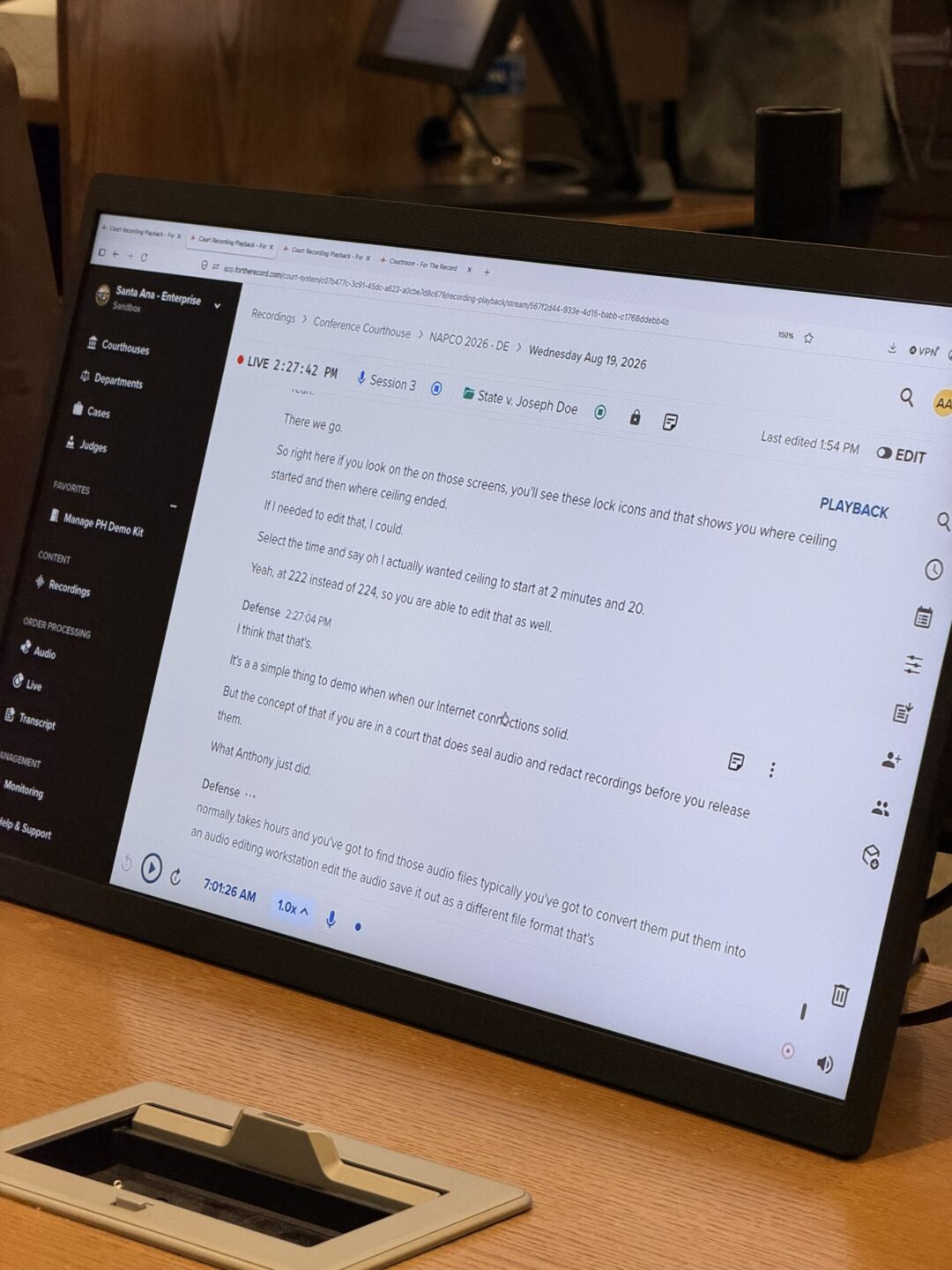
New FTR Justice Cloud speech-to-text editing capabilities allow authorized users to make these changes directly within the recording page. Users can correct text, adjust speaker or channel labels, split or merge sections, remove irrelevant content, and adjust timing while listening back to the corresponding audio.
The underlying audio record remains unchanged, while all speech-to-text changes are fully audited. This gives courts greater control over the usability of the written content while maintaining a clear connection to the original audio and a complete record of changes.

Courtroom technology needs to work within the practical realities of how court staff operate, including the devices and infrastructure already available to them.
FTR CourtControl, integrated with FTR Justice Cloud, brings essential courtroom controls to an iPad, allowing authorized staff to start and stop recording sessions, live seal the record, and view the current status of the courtroom.
The app can be connected to an FTR Justice Cloud courtroom through a straightforward authentication process and deployed through existing mobile device management platforms. All actions taken through the application are also audited, providing visibility into activity carried out through the device.

The recording captures what was said during a proceeding, while annotations and events can provide additional context about what was happening, who was involved, and how the record connects to the wider case.
New annotation capabilities in FTR Justice Cloud can automatically identify proceedings within a recording and capture information such as the start time, case reference, and hearing title from the speech-to-text content. Hearing Events add further structure by allowing key moments in a hearing to be identified and categorized, making it easier to navigate and understand what happened during a proceeding.
People Annotations allow courts to associate people and roles with a hearing, including judges, court staff, counsel, parties, witnesses, and other participants. External references provide another way to connect the record with information held in other court systems, allowing cases, hearings, and people to be linked to external IDs and URLs through the REST API.
Together, these capabilities add useful context to the record while making it easier to navigate related information and systems.

Courts often rely on a range of technology systems to manage information and support the wider justice process, making interoperability an important part of how new technology is introduced.
FTR Justice Cloud’s REST API capabilities continue to expand, giving courts more options to connect FTR Justice Cloud with existing case management systems, internal applications, and other technology.
New capabilities support areas including people, positions, roles, annotations, and recording uploads, allowing courts to build integrations and automate workflows around the court record.
For courts with established technology environments, this means FTR Justice Cloud can be incorporated into existing workflows rather than requiring every part of the technology environment to change at once.

The developments introduced throughout 2026 are part of an ongoing roadmap, with each update contributing to the wider experience of capturing, managing, understanding, and accessing the court record.
We’re continuing to look at the complete journey of the record, from capture and processing through secure storage, management, and access, with the aim of supporting courts as their technology and operational needs continue to evolve.
Since joining Tyler Technologies earlier this year, we’re also exploring new opportunities to connect FTR Justice Cloud with Tyler’s case management system, giving courts the option to bring court record and case information together more seamlessly. At the same time, For The Record remains focused on developing its own technology and supporting integration with the systems and technology environments courts already use.
The next major feature release on the FTR Justice Cloud roadmap is video, which will add visual context alongside the existing audio record and provide a more complete view of courtroom proceedings.
Bringing video into FTR Justice Cloud’s real-time speech-to-text feeds represents another step in developing a more connected and definitive court record, while maintaining the integrity and provenance of the underlying recording.
More than 60 updates in one year represents significant progress for FTR Justice Cloud, but the direction behind that development remains consistent.
We’re continuing to invest in technology that helps courts capture the record reliably, understand it more easily, manage it efficiently, and make it available when it is needed—supporting greater access to the court record and, ultimately, access to justice.